
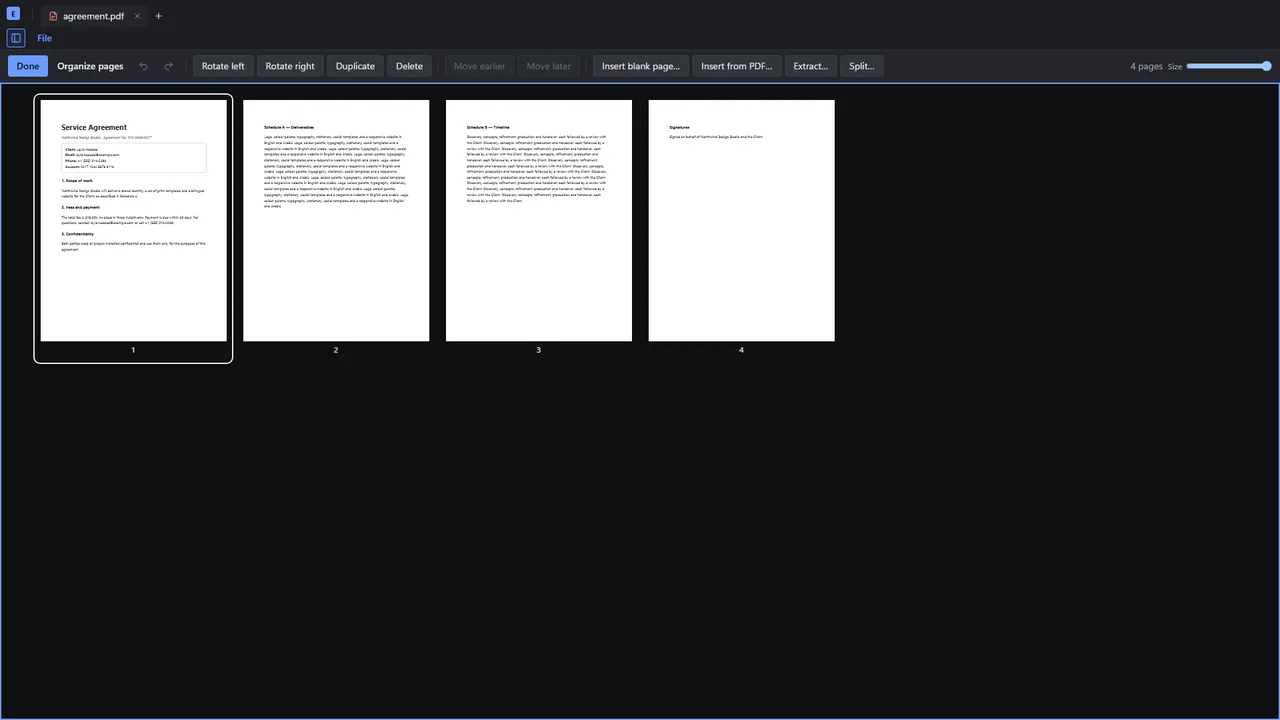
Organize pages
Reorder, rotate, insert, extract, split and combine, with every page in view.
Edit, sign, redact, OCR and compare PDFs on Windows and Linux. Nothing leaves your computer, and you pay once.
Windows 10 and 11, and 64-bit Linux. Free for personal use.

Your files never leave your computer. No account, no cloud and no telemetry. Epdf only goes online when you ask for an extra OCR language or check for updates.
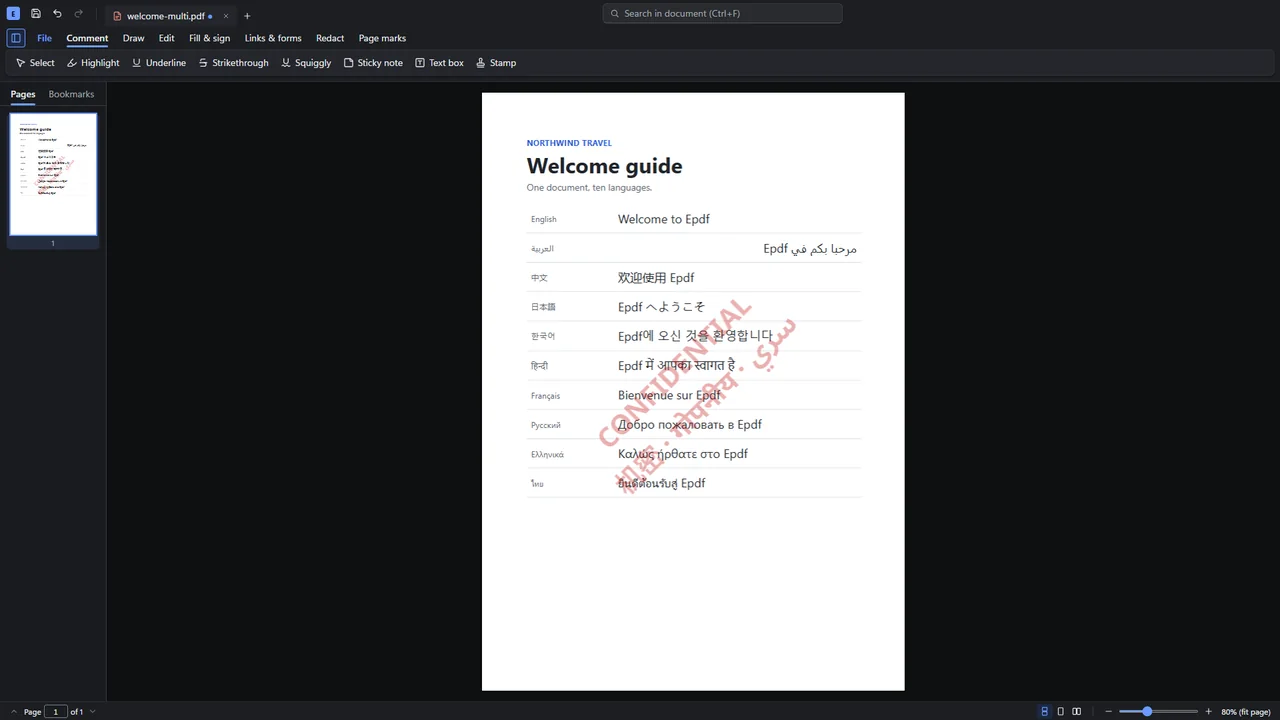
Arabic and right-to-left text are shaped and read correctly, both when Epdf writes them and when it reads existing pages.
Free for personal use. Businesses pay once per seat, and nothing renews by itself.
Reorder, rotate, insert, extract, split and combine, with every page in view.
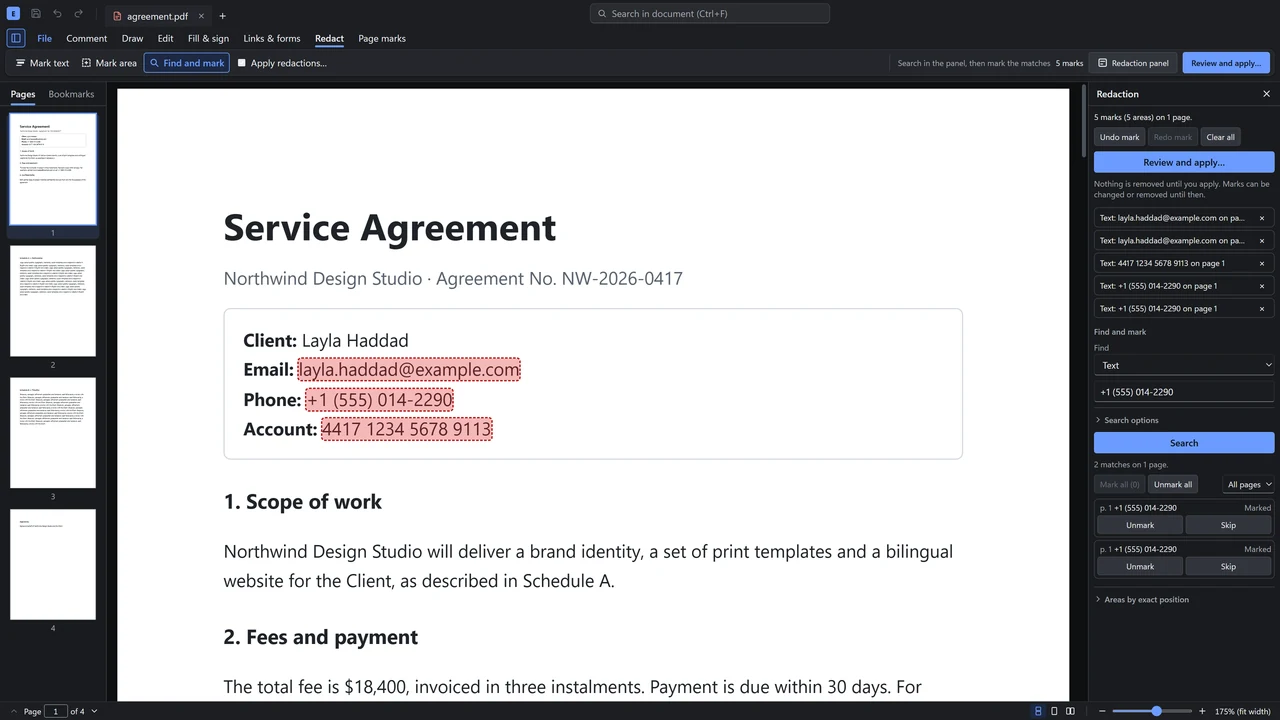
The content is removed, not covered. After saving, Epdf checks the file to prove nothing is left under the bars.
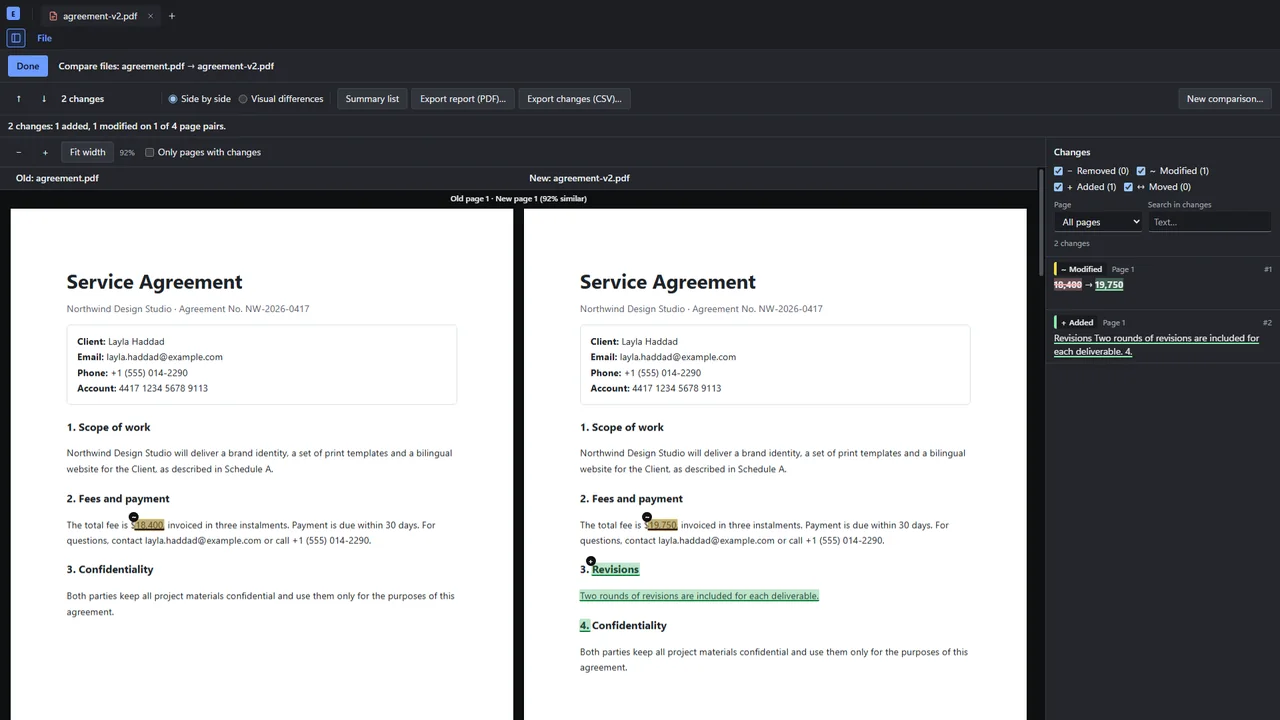
Every change side by side, with a report.
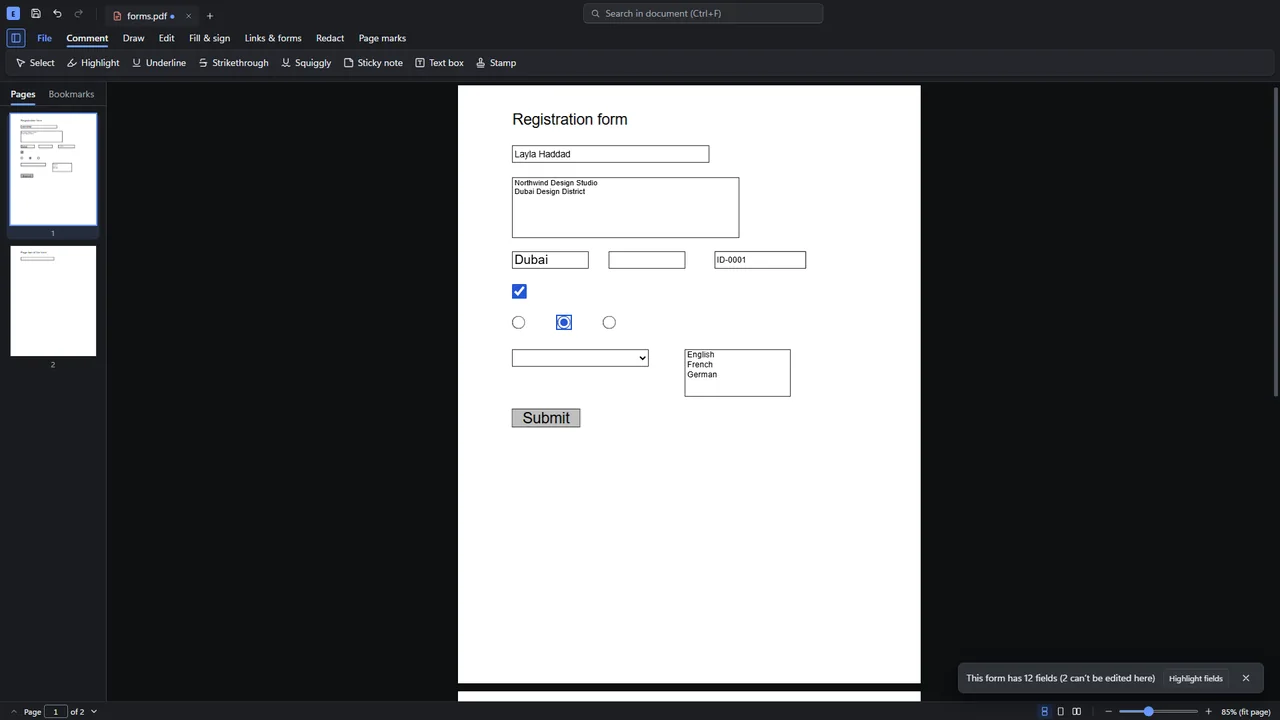
Type into form fields and tick boxes, then draw, type or import a signature.
Scans become searchable, on your PC.
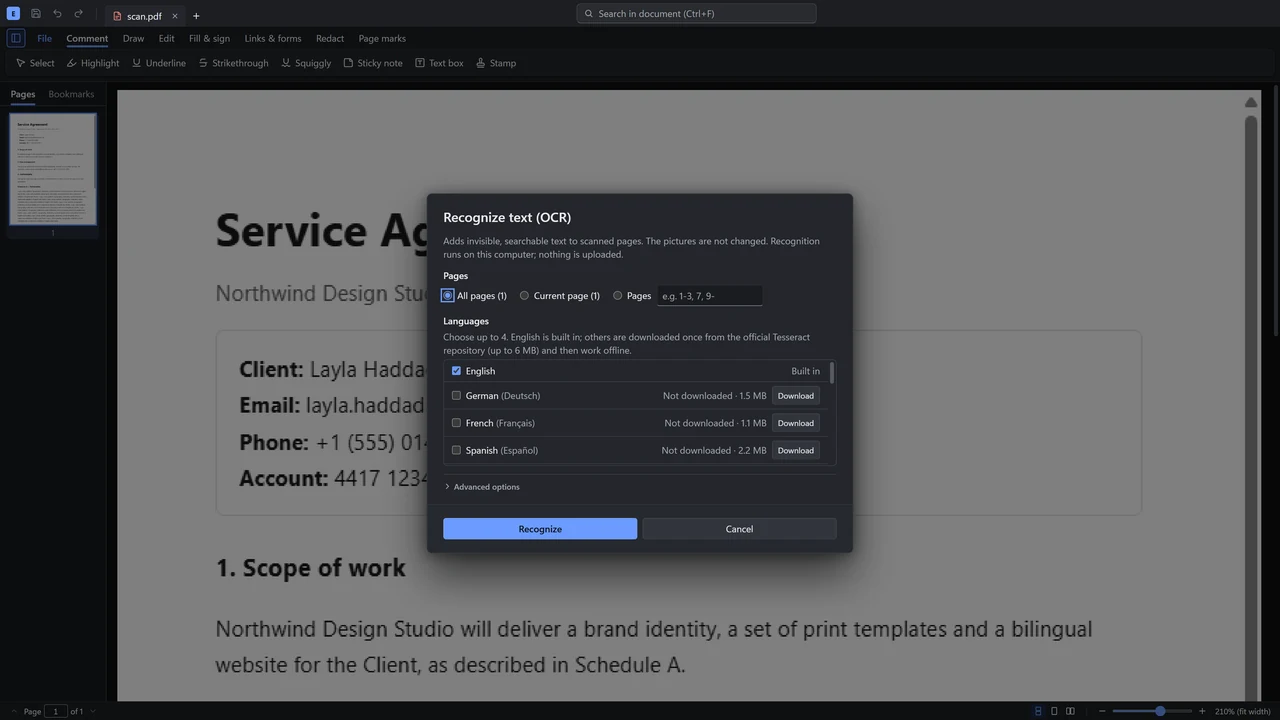
Any numeral system, with a live preview.
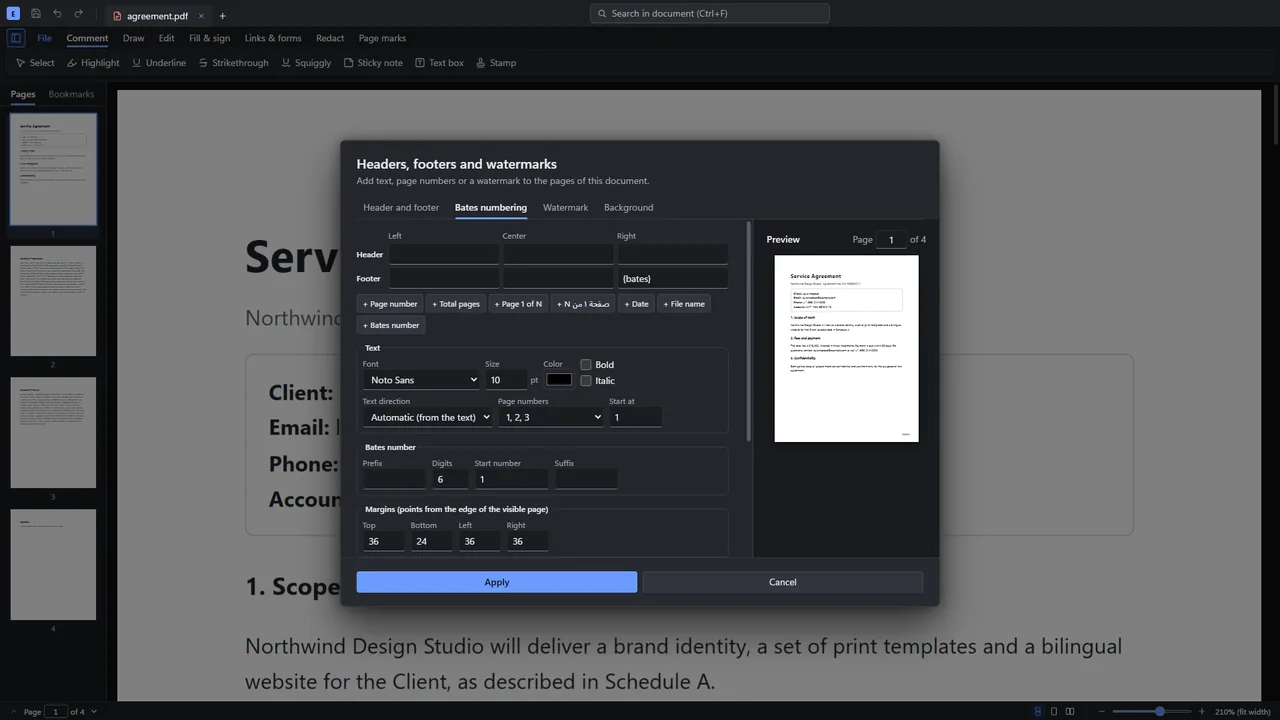
Change the words already on the page, Arabic too. Every step can be undone.
AES-256, with separate passwords to open and to edit.
Presets with an estimate first. It never makes a file larger.
Also comments and markup, PDFs from Word, Excel, PowerPoint and pictures, export to Office, scanning from a webcam or phone, links and bookmarks, a searchable library, version history and crash recovery.
A short tour of the app. Sound is optional.
In most editors, Arabic letters come apart, lines come out backwards and search finds nothing. Epdf shapes text properly when it writes it, and reads existing pages in the right order when you select, copy, search or edit.
Typical PDF editor
Letters apart, the sentence backwards.
Epdf
كل أدوات PDF في تطبيق واحد
Every letter joined, words in order.
Right-to-left and complex scripts get the same care, even side by side on one page.
Free for personal use. Businesses pay once per seat, with no subscription and nothing that renews by itself.
Freefor personal use
No account needed and nothing to sign up for.
Was $49$25per seat, once
Launch price until 30 September 2027. Then $49 per seat.
Prices exclude VAT or sales tax. Online checkout is on its way; until then, write and you'll get an invoice.
Free for personal use. Using it at work needs a business license.
For IT deployment there is a Windows MSI. The beta isn't code-signed yet, so Windows may warn the first time: choose More info, then Run anyway. Installing means accepting the End User License Agreement.
Looking for an earlier version? All releases and release notes are on GitHub. What's new in this version.
No. It only goes online when you ask it to download an extra OCR language, and to check for updates, which you can turn off.
You pay once per seat and use Epdf forever. Two years of updates are included; after that, keep using your last version, or add two more years of updates for $19. Nothing renews by itself.
If there is no new release for 24 months and no reply to support e-mail, the source code will be published under the Apache License 2.0, so anyone can keep Epdf going and your copy is never a dead end. This commitment binds anyone who takes over Epdf.
Yes, for personal and noncommercial use, and for charities, schools, public research and government. Using it in or for a business needs a business license.
Windows 10 and 11, 64-bit, and 64-bit Linux, tested on Ubuntu. macOS is next.
They never leave your computer. Epdf has no account, no cloud and no telemetry, and this website has no analytics or cookies.
An independent developer in Bahrain. Use the contact form or write to support@epdf.ing and you'll get an answer from the person who builds it.